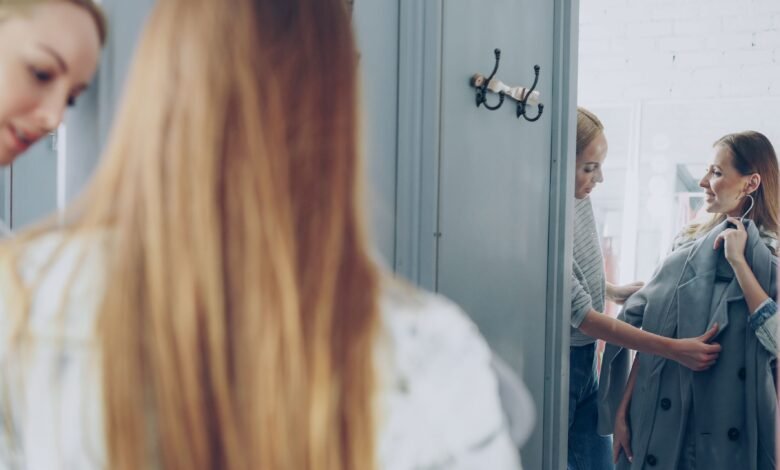
Trying on clothes answers several questions at once. You see the color near your face, feel the fabric, notice whether the shoulders sit correctly and discover how the garment behaves when you move. An image can answer some of those questions, but it cannot answer all of them. That distinction is central to understanding virtual outfit previews.
AI images can help people explore a style before visiting a shop or arranging a fitting. They can suggest combinations, compare broad silhouettes and make a vague idea easier to discuss. They are less reliable as evidence of exact fit, comfort or the physical behavior of a particular garment.
The distinction becomes clearer when the question is specific. Comparing a dark jacket with a light one is a visual decision; finding out whether its shoulders restrict movement requires physical information. Make a short list of what you hope to learn from a preview before treating it as a substitute for trying anything on.
Separate style exploration from fit prediction
Style exploration asks whether a look expresses what you want. You might compare a long coat with a short jacket, explore a different palette or see how a more structured silhouette changes the mood. These are visual questions, and a concept image can provide a useful starting point.
Fit prediction asks how a specific garment will sit on a specific body. That depends on measurements, pattern construction, material, stretch and movement. A plausible-looking generated image does not necessarily represent those physical relationships. It may show an attractive version of the outfit rather than a faithful simulation of the item.
Keep these purposes separate when using a tool or reading its claims. A general image editor and a specialized virtual try-on system are not automatically interchangeable. Before relying on a preview, understand what inputs the service uses and what the output is intended to represent.
Use previews to narrow a broad choice
Virtual concepts are useful when the starting question is too open. Someone preparing for an event might be deciding between a monochrome outfit, a strong color contrast and a softer layered look. Seeing those directions can make the conversation more concrete.
Start with a small number of alternatives. Keep the person, pose and background reasonably consistent so the clothing direction remains the main variable. If every image changes the lighting, body proportions and camera angle, the comparison becomes difficult to interpret.
Choose the qualities you want to carry forward rather than treating the whole image as a shopping list. You may like the balance of a cropped jacket and wider trousers without needing the exact imaginary garments. The preview has helped if it turns uncertainty into a clearer brief for real shopping or styling.
Provide references that answer the right question
The quality of the input affects how useful the comparison can be. If the task concerns a real garment, use clear product images and accurate descriptions. If it concerns a personal style direction, choose a reference photograph with a straightforward pose and lighting that makes the clothing visible.
Avoid heavily filtered or distorted references when you want a realistic discussion. Extreme camera angles and dramatic poses can make proportions difficult to judge. A simple source image may be less glamorous, but it gives you a clearer basis for comparing changes.
Use images of people with their permission and agree on the intended purpose. A private styling experiment is different from a promotional image or a public endorsement. The people involved should understand how the image will be used, especially when the final result changes clothing or appearance.
Keep the person stable while exploring clothing
A useful outfit comparison should not quietly change the wearer to make the clothes look better. Check whether body proportions, facial features and posture remain consistent. If those elements shift, the image may no longer answer the question you started with.
This is particularly important when comparing fitted and loose silhouettes. A generated result might alter the body or exaggerate the drape, making the outfit appear more flattering without showing how the real garment would behave. Treat those changes as reasons to question the preview, not as reliable styling evidence.
Keep the original image beside the alternatives. Compare shoulder position, waist placement, leg length and the relationship between the person and the camera. The goal is a useful visual discussion around the same person, rather than a sequence of unrelated idealized portraits.
Recognize what fabric information is missing
Fabric changes how an outfit works. A stiff material holds a shape differently from a fluid one. A heavy knit behaves differently from a light woven fabric. Stretch, lining and construction affect movement and comfort in ways that are difficult to infer from a generated image.
Use the preview to identify the desired effect, then verify it with real material information. If you like a structured shoulder, check whether the actual garment has the construction needed to create it. If you want a soft drape, look at the fabric and how it appears in reliable product photographs.
Do not assume that visible folds are a physical simulation. They may be a plausible visual interpretation. A beautiful image of a flowing skirt is useful as inspiration, but it is not proof that a particular skirt will move that way when worn.
Compare colors under ordinary conditions
Color exploration is one of the more approachable uses of outfit concepts. You can investigate whether warm neutrals, cool tones or a stronger accent better express the intended mood. However, the lighting in the preview can change how those colors appear.
Use neutral lighting for the main comparison. A sunset scene or colored studio light may make a palette seem more harmonious than it would in everyday conditions. Keep one simple reference view before exploring more atmospheric images.
For a purchase, confirm the real color through trustworthy product information and, where possible, the garment itself. Screen settings and photography already introduce variation; generated interpretation adds another layer. The preview should help narrow the direction, while the final decision uses the best available information about the actual item.
Use the result in a conversation with a stylist
A concept image can make communication easier. Instead of saying you want something modern but comfortable, you can point to the proportions, palette or layering that appeals to you. A stylist can then explain which parts are practical and suggest real garments that achieve a similar effect.
Describe what you like precisely. It may be the length of the outer layer, the balance of dark and light colors or the simplicity of the accessories. If you present the entire image as an exact target, you may miss opportunities to achieve the same intention in a more suitable way.
Also explain what the image does not show: your comfort preferences, the expected weather, the amount of walking involved and any practical requirements. Those details help turn a visual concept into an outfit that works beyond the photograph.
A practical event-outfit example
Imagine an adult preparing for an informal evening exhibition. They want to look polished without wearing a suit and need shoes suitable for walking. The first concept explores a dark jacket with relaxed trousers. The second uses a lighter overshirt and a stronger color accent. The third simplifies the palette and changes the outer-layer length.
The person selects the proportions of the first image and the lighter palette of the second. That combination becomes a shopping brief, not a demand to find the exact generated outfit. They check actual garments for fit, fabric and comfort, then adjust the accessories based on what works in person.
The preview has been useful because it reduced uncertainty early. It did not need to predict every fold or replace the physical fitting. Its role was to make the intended style clearer before time and money were committed to the final pieces.
Someone following this exercise could generate outfit concepts from the same event brief and compare a few broad arrangements. There is no need to invent a complete digital fitting service. A pair of exploratory images can be enough to explain a preference for a longer jacket or a calmer palette before checking real clothing.
Retailers should communicate what a preview represents
For a retailer, the distinction between concept and product representation is especially important. If an image changes a garment’s cut, color or construction, customers may form expectations the real item cannot meet. A polished presentation should not obscure that difference.
Keep verified product photography and specifications accessible. Explain the purpose of any illustrative preview in language that customers can understand. Review the output for changes to logos, closures, pockets and other details that influence purchase decisions.
Use feedback to identify recurring misunderstandings. If customers interpret a styling concept as proof of exact fit, the presentation needs improvement. The aim is to support informed choices, not to replace uncertainty with a more convincing but still uncertain picture.
Give each experience the right job
AI outfit previews can make style exploration more accessible and help people communicate preferences. They can suggest directions worth trying and make a conversation with a stylist or retailer more focused. Those are useful contributions on their own.
At the fitting stage, put the chosen image aside for a moment and pay attention to movement, weight and comfort. Then return to it as a reminder of the intended proportions and color balance. The purchase should work on the person wearing it, even if the successful combination differs from the original concept.