

Most tutorials skip the awkward part. They show you the polished final result, not the seventeen variations that looked like abstract nightmares. They tell you AI will “transform your workflow,” but they don’t mention the three hours you’ll spend figuring out why your “professional business portrait” keeps generating people with seven fingers.
I spent my first month with Banana Pro AI learning those lessons the hard way. This isn’t a story about instant mastery. It’s about the messy, realistic process of adopting a new creative tool when you’re still figuring out what these systems can and cannot do.
The First Click: When Expectations Hit Reality
Everyone’s first AI image generation experience follows a similar pattern. You type something ambitious—”a futuristic cyberpunk city at golden hour, cinematic lighting, ultra-detailed”—and expect magic. What you often get is a blurry mess where the buildings melt into the sky and the “golden hour” looks more like a chemical spill.
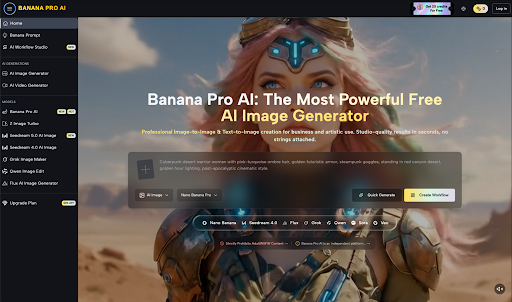
With Banana Pro AI, my initial attempts followed this script exactly. The platform offers two entry points: Text to Image generation and Image to Image transformation. Both sound straightforward. Neither behaves the way your brain expects initially.
The Text to Image system interprets your words through a lens trained on millions of image-text pairs. But “cinematic lighting” means something specific to you and something slightly different to the model. Your first dozen prompts teach you this gap between intention and interpretation.
My breakthrough came when I stopped trying to “direct” the AI like a photographer and started treating it like a collaborative illustrator who needs very specific references. Instead of “professional headshot,” I learned to write “professional headshot, 35mm lens, softbox lighting from 45-degree angle, neutral gray background, subject wearing navy blazer, shallow depth of field.” Banana Pro AI responded to that specificity with results that actually matched my mental image.
The Learning Curve Nobody Warns You About
Here’s what the marketing materials don’t emphasize: your first week involves more failure than success. You’ll generate images that ignore half your prompt. You’ll get faces that look like they’ve been smeared by a wet thumb. You’ll wonder if the tool is broken or if you are.
The reality is more nuanced. Banana Pro AI processes requests in 5-15 seconds, which feels instant. But speed doesn’t equal predictability. The same prompt can yield different results across sessions because these systems incorporate randomness in their generation process. This isn’t a bug—it’s how diffusion models work—but it means your early experiments feel unstable.
I kept a simple log during my first two weeks. For every ten generations, roughly three were immediately usable, four needed refinement, and three were complete misses. That 30% hit rate felt discouraging until I realized I was comparing AI output to finished professional photography. The fair comparison is to a rapid prototyping tool that lets you explore directions before committing to a final approach.
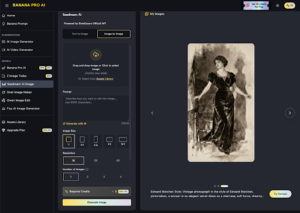
The Image to Image feature became my safety net. When Text to Image produced something close but not quite right, uploading that result as a base and applying targeted modifications—”same composition but change lighting to overcast, add more contrast”—gave me control I couldn’t achieve through text alone. This hybrid workflow, bouncing between both modes, became my standard practice rather than relying on either method exclusively.
Recalibrating Your Creative Process
Traditional design workflows follow a linear path: concept → sketch → refinement → final execution. AI tools suggest a different shape: concept → rapid generation → selection → refinement. The middle steps compress dramatically, but they don’t disappear.
Banana Pro AI offers style presets and fine-tuning controls that I initially ignored. I thought the “AI” part meant I should just describe what I wanted and let the system handle aesthetic decisions. This was a mistake. The platform’s style library—spanning photorealistic, anime, watercolor, oil painting, and minimalist options—exists because AI needs directional constraints, not just descriptive ones.
I learned to think in layers. First, establish the core content: what is in the image? Second, define the technical execution: lighting, camera angle, composition. Third, specify the aesthetic treatment: which preset or style direction? Separating these decisions, rather than cramming them into a single sentence, improved my consistency significantly.
The batch generation feature proved essential here. Banana Pro AI creates multiple variations per request, which initially seemed like overkill. Why would I need four versions of the same prompt? Because seeing variations exposes what the AI fixates on versus what it ignores. If three versions have the same weird hand position, I know the prompt needs to address hands specifically. If the lighting varies wildly across batches, I need to anchor that element with stronger descriptive language.
When “Good Enough” Becomes Your New Standard
Professional designers often resist AI tools because the output doesn’t match their personal standards. This is a fair critique but a limiting one. The question isn’t whether AI-generated images match hours of manual work. It’s whether they solve specific problems within specific constraints.
I tested Banana Pro AI across realistic scenarios: social media graphics for a small business, blog post illustrations, concept art for client presentations, and product mockups. The results varied by use case. Social media graphics and blog illustrations proved ideal—contexts where viewers scroll quickly and perfect detail matters less than immediate visual impact. Client presentations worked well for early-stage concepting, though final deliverables still required traditional refinement.
Product mockups demanded the most adjustment. Banana Pro AI generates high-resolution output up to 2048×2048 pixels, technically suitable for print. But “suitable for print” and “client-ready” occupy different territories. The images needed color correction, occasional manual cleanup of strange artifacts, and context-appropriate sizing. The AI handled 70% of the work; traditional tools handled the remaining 30%.
This 70/30 split became my realistic framework. AI acceleration doesn’t mean zero human involvement. It means reallocating time from initial creation to curation and refinement. The hours you save on generation, you often invest in selection and editing. The net gain is real but not the dramatic time compression that hype suggests.
The Ownership Question That Actually Matters
Every creator’s first serious question about AI tools concerns rights. Banana Pro AI includes commercial usage rights with all generated images, which removes a significant barrier. You can use outputs for client work, merchandise, advertising, and resale without additional licensing fees.
This matters practically, not just legally. Early in my testing, I generated a series of images for a potential client project. Knowing I could actually deliver those assets if the project moved forward changed how I approached the exploration phase. I wasn’t creating throwaway concepts; I was building a usable library.
The platform’s smart asset library helps here. Banana Pro AI automatically saves generations, tracks versions, and stores prompts. When a client asked for “something similar to that blue version but warmer,” I could retrieve the original prompt, modify the color specifications, and generate variations within minutes. This searchable history transforms single-use generation into iterative asset building.
Building Sustainable Habits
My first month followed a boom-bust cycle: intense experimentation followed by frustration when results plateaued. Sustainable adoption required establishing boundaries and workflows rather than treating the tool as an infinite creative slot machine.
I developed three practical habits that improved my consistency:
Prompt documentation. I maintained a simple spreadsheet of attempts, noting what worked and what failed. Patterns emerged quickly. Banana Pro AI responded well to camera-specific terminology (“35mm lens,” “f/2.8 aperture”) but struggled with abstract emotional directions (“mysterious,” “evocative”). Documenting these tendencies helped me write more effective prompts faster.
Reference gathering. Before generating, I collected 3-5 reference images representing the aesthetic I wanted. I didn’t upload these (though Image to Image supports this); I used them to write more precise descriptions. Having visual anchors prevented the vague language that produces vague results.
Output triage. I established clear quality tiers: immediate use, minor editing required, major editing required, and discard. This prevented the time sink of trying to salvage every generation. If an image needed more than 15 minutes of manual correction, I regenerated instead.
The Honest Review
After six weeks of regular use, Banana Pro AI occupies a specific place in my workflow: rapid concepting, content illustration, and situations where speed outweighs perfection. It hasn’t replaced traditional design tools or professional photography. It has inserted a new phase between ideation and execution.
The platform’s strength is accessibility. The free tier provides genuine utility without immediate paywalls. The interface requires no technical background. The generation speed—8-12 seconds for most requests—supports genuine iteration rather than single-shot guessing.
The limitations are equally real. Consistency across sessions requires careful prompt engineering. Fine details, particularly human hands and complex text, remain unreliable. The “professional-grade” output still needs professional judgment to deploy effectively.
For beginners, the realistic adoption path looks like this: expect confusion in week one, gradual pattern recognition in week two, workflow integration by week four, and ongoing refinement thereafter. The tool improves with your understanding of it. The learning isn’t technical—it’s communicative, learning to translate visual intentions into descriptions that machine interpretation can handle.
Nano Banana 2 won’t instantly transform your creative output. It will, if you approach it with patience and realistic expectations, gradually expand what you can produce within time and budget constraints. That incremental improvement, built through trial and error, ends up being more valuable than the magic the marketing promises.