


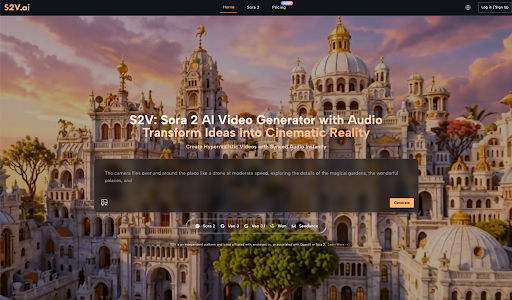
The transition from a static image to a moving sequence used to be the exclusive domain of professional editors and VFX artists. However, with the emergence of generative technologies like Sora 2, the barrier to entry for video creation is undergoing a structural shift. For beginners, this represents both a frontier of possibility and a journey of trial and error.
In this guide, we’ll skip the hyperbolic marketing claims and look at AI video through the lens of a creator. Here is how to realistically adopt these tools into your early-stage workflow.
🧭 From “One-Click Magic” to Iterative Craft
Many first-time users approach Sora 2 AI with the expectation that a single sentence will instantly yield a cinematic masterpiece. In practice, I’ve found that the process is much more of a two-way conversation between the human and the machine.
Adjusting Initial Expectations
AI isn’t a mind-reader; it’s a highly literal executor of instructions. The most common frustration for newcomers stems from vague prompting. If you ask for “a person walking in the rain,” the AI has to guess the lighting, the camera angle, the texture of the pavement, and the mood.
The Learning Curve of Precision
When using Sora 2 AI Video tools, the shift from “user” to “creator” happens when you start describing the physics of a scene. You begin to specify how light reflects off wet surfaces or how a camera should track a subject. This transition from broad ideas to granular details is the primary hurdle for any beginner, but it’s also where the creative control lies.
🔍 Technical Breakdown: The S2V Multi-Model Ecosystem
On the S2V platform, video generation isn’t a one-size-fits-all process. It integrates several world-leading models, allowing users to choose the right “engine” for their specific creative goals.
The Synergy of OpenAI and Google Models
S2V provides a unified interface for both OpenAI’s Sora 2 series and Google’s Veo 3 series. This variety is crucial because different algorithms handle motion and texture in unique ways.
| Model Series | Core Strength | Best Use Case |
| Sora 2 Basic | Fast generation speeds | Rapid prototyping & social clips |
| Sora 2 Pro | Cinema-grade visual fidelity | High-end ads & visual storytelling |
| Sora 2 Pro Storyboard | Maintains narrative consistency | Multi-scene shorts & story arcs |
| Veo 3 / 3.1 | Integrated, synchronized audio | Complete clips with soundscapes |
The Breakthrough of Native Audio
Historically, AI video was “silent.” You’d generate a clip and then spend hours hunting for matching sound effects. The Veo 3 series available via S2V changes this by generating native audio—ambient sounds, footsteps, or natural dialogue—that is perfectly synced to the visual movement. This “audiovisual-in-one” approach significantly lowers the post-production barrier for beginners.
🎨 Mastering the “Director’s Language”: Prompting for Control
One of the most significant shifts for a beginner is moving from descriptive language to cinematic language. To get the most out of Sora 2 AI Video, you need to think like a director on a set rather than a casual observer.
The Anatomy of a High-Performing Prompt
A successful prompt usually consists of four pillars: Subject, Action, Environment, and Cinematography. For example, instead of “a cat running,” a professional-grade prompt would be: “Low-angle tracking shot of a ginger tabby cat sprinting through a neon-lit Tokyo alleyway, rain splashing under its paws, cinematic lighting, 4k, hyper-realistic.”
Controlling Camera Movement
One of the hidden powers of Sora 2 AI is its ability to simulate complex camera rigs. By including terms like “Dolly Zoom,” “Crane Shot,” or “Handheld Shaky Cam,” you can dictate the emotional energy of the scene. A static shot feels observational, while a “First-person POV” shot feels immersive. Learning these terms is the fastest way to reduce the “randomness” of your results.
Lighting and Atmosphere as Storytelling Tools
Don’t just describe the objects; describe the light hitting them. Terms like “Golden Hour,” “Volumetric Lighting,” or “Cyberpunk Neon” tell the AI how to handle shadows and reflections. In my experience, the Sora 2 Pro model excels at interpreting these lighting cues, creating a depth that separates amateur generations from professional-looking content.
💡 Practical Insights: Lessons from the First Render
Reflecting on my early experiments with Sora 2 AI Video, I realized that patience is often more valuable than technical skill. Here are a few observations from the field:
1. Start with Image-to-Video
If describing a scene from scratch feels overwhelming, try uploading a reference photo first. Sora 2 can animate static images, which provides a much higher degree of compositional control. It’s a great way to understand how the AI interprets depth and motion before you move on to pure text-to-video.
2. Embrace the “Seed” Randomness
AI generation involves a degree of unpredictability. Sometimes the first render has a “glitchy” movement, while the second is flawless. Instead of trying to get it perfect in one go, learn to generate variations and select the best fragments.
3. Focus on Continuity
For those looking to build longer narratives, the Sora 2 Pro Storyboard model is designed to help maintain character and style consistency across different shots. Start by mastering 5-second clips before attempting to string together a complex story.
🛠️ Workflow Shifts: Reallocating Time and Budget
Adopting AI doesn’t necessarily mean “doing less work”—it means doing different work. The effort shifts from manual execution to creative direction.
Where the Efficiency Gains Are Real
- Asset Sourcing: You no longer need to browse stock footage libraries for hours to find a specific “b-roll” shot. You can simply manifest it.
- Rapid Storyboarding: Before committing a large budget to a physical shoot, you can use Sora 2 AI to create a high-fidelity “pre-viz” to show clients or stakeholders.
- Commercial Freedom: Since S2V grants full commercial rights, the legal headache of music licensing and talent releases for background elements is greatly reduced.
The Investment in “Prompt Literacy”
While you don’t need to master complex editing software, you do need to invest time in learning the language of the AI. This involves understanding lighting terminology, camera movements, and how to weigh different parts of a prompt to get the desired output.
🌟 Final Thoughts: A Gradual Evolution
AI video creation isn’t a race to replace human creativity; it’s an evolution of how we express it. Platforms like S2V, which house powerful models like Sora 2 and Veo 3, have effectively democratized the “director’s chair.”
As you begin your journey, remember that the goal isn’t instant perfection. It’s about building a more efficient, imaginative system for yourself. With each generation, you’ll find that the gap between what you imagine and what you see on the screen becomes a little bit smaller.