Most people who try to make an AI short film hit the same wall: their visuals fall apart between scenes. Characters look different from shot to shot. The lighting changes for no reason. The whole thing feels stitched together rather than crafted. The fix isn’t one magic tool — it’s knowing which three tools to use, and when.
I. Why a Three-Step Workflow Actually Matters
A common mistake is trying to do everything inside a single app. Script, visuals, sound — forced into one pipeline that wasn’t designed to handle all three well.
- Every stage of production has different demands: storytelling logic, visual precision, audio polish. One tool rarely excels at all three.
- Mixing the wrong tools at the wrong stage wastes time and produces inconsistent results.
- A clean three-step workflow keeps each phase focused and the final output coherent.
II. Step One — Script and Storyboard with ChatGPT or Claude
Before touching any image tool, the story needs a solid skeleton. For this stage, ChatGPT and Claude are genuinely hard to beat.
- Both handle narrative structure well: act breakdowns, scene descriptions, shot lists, even dialogue pacing.
- Claude tends to produce more nuanced character motivations; ChatGPT is faster for iterating storyboard beats in bulk.
- Export the finished shot list as a simple numbered document. This becomes the reference map for every visual decision that follows.
The goal at this stage isn’t perfection — it’s clarity. A clean storyboard prevents expensive visual mistakes later.
III. Step Two — Lock the Visuals with Banana AI on Kimg AI
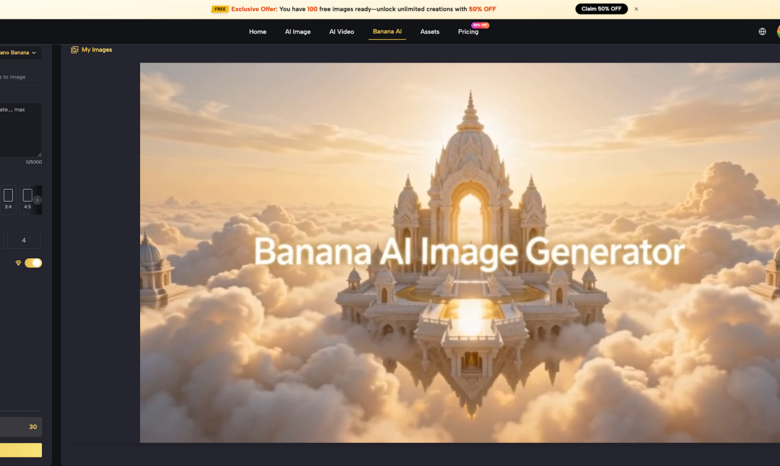
This is where most AI film projects succeed or fail. Text-based tools can describe a character, but they can’t lock one. That’s the job of a dedicated visual generation tool, and it’s exactly what Kimg AI‘s Banana AI model collection is built for.
Kimg AI hosts a suite of Nano Banana models — Nano Banana, Nano Banana 2, and Nano Banana Pro — each designed for a different level of production complexity. Here’s why this step is non-negotiable:
- Character consistency is a solved problem here
- Nano Banana supports up to 4 reference images per generation. Feed it your character references and it maintains facial features, costume details, and lighting logic across multiple shots.
- Nano Banana 2 takes this further, accepting up to 13 reference images — meaning a more complex cast or a richer scene palette can be locked in from the start.
- Nano Banana Pro supports up to 8 reference images and is engineered for output quality that holds up at 4K resolution.
- The output quality is production-ready
- Nano Banana 2 lets users choose output resolution directly from the interface: 1K, 2K, or 4K — no guesswork.
- Nano Banana Pro delivers up to 4K with cinema-grade color depth and hyper-accurate micro-details, from fabric texture to environmental lighting.
- These aren’t concept sketches. They’re assets ready to animate.
- Text-to-image and image-to-image in the same tool
- Start from a written prompt for establishing shots, then switch to image-to-image mode for close-ups that need to match an existing visual.
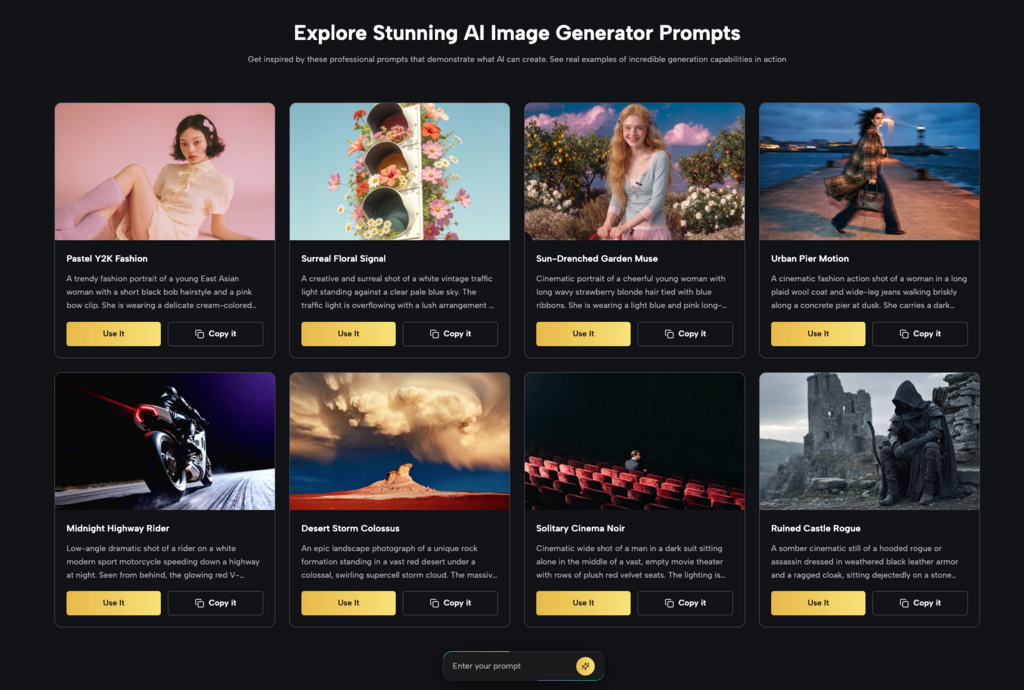
- Batch generation (up to 4 images per run) means exploring multiple lighting directions without rebuilding from scratch each time.
If this step is skipped in favor of jumping straight into a video generator like Runway, the result is almost always the same: characters that don’t match between cuts, forcing expensive re-generation downstream. Using a dedicated Banana AI Image Generator at this stage is what prevents that.
IV. From Still to Moving — Animating Inside Kimg AI
Once the key frames are locked, Kimg AI‘s built-in Veo 3 integration handles the image-to-video step without leaving the platform.
- Upload the Nano Banana output directly into Veo 3 — no export/import friction.
- Veo 3 generates native audio alongside video: ambient sound, effects, and even dialogue are synchronized automatically.
- Frame control lets users specify the first and last frame, which is essential for maintaining continuity between shots.
This is the part where the storyboard from Step One pays off. Each Nano Banana frame maps to a specific shot number, and Veo 3 animates each one in sequence. The result is a coherent visual language across the whole film — not a random collection of stylistically mismatched clips.
V. Why Skipping the Visual Lock Step Is the Most Expensive Mistake
This bears repeating, because it’s the source of most failed AI film projects.
- Video generation models are not character consistency tools. They generate plausible motion from a given frame, but they don’t remember what a character is supposed to look like.
- Without a locked visual reference — the kind that a Banana AI Image Maker workflow provides — each video clip exists in isolation.
- Re-generating clips to match each other at the post-production stage typically takes three to five times longer than locking visuals at the start.
The Nano Banana model collection exists precisely to solve this. It’s a visual anchor, not just a pretty picture generator.
VI. Step Three — Post-Production with CapCut and ElevenLabs
The final stage is about polish. The high-resolution Nano Banana outputs and Veo 3 video clips are already production-grade — this step just refines them.
- CapCut handles transitions, color grading, and timeline assembly efficiently. The 4K assets from Nano Banana Pro import cleanly without compression artifacts.
- ElevenLabs is the go-to for custom voiceover. Its voice cloning and synthesis quality is consistent enough to match the visual fidelity of the earlier steps.
- The combination closes the loop: script from ChatGPT/Claude → visuals from Kimg AI → final cut in CapCut with ElevenLabs audio.
Each tool in the chain does one thing well. That’s the point.
VII. Choosing the Right Nano Banana Model for Your Project
Not every project needs the same model. Here’s a practical breakdown:
- Nano Banana — Best for solo creators testing concepts, shorter films, or projects with a small cast. Up to 4 reference images, fast iteration.
- Nano Banana 2 — Best for projects with a larger visual vocabulary: ensemble casts, complex environments, or detailed style matching. Supports up to 13 reference images and 4K output selection.
- Nano Banana Pro — Best for final production assets. Up to 8 reference images, maximum 4K resolution, cinema-grade color and detail. Use this for the key frames that will be most visible.
The decision isn’t about which model is “best” in the abstract — it’s about matching the model’s reference capacity and output resolution to what the scene actually needs.
Conclusion
Making a coherent AI short film isn’t about finding one tool that does everything. It’s about building a workflow where each stage gets the right tool. ChatGPT or Claude for structure. Kimg AI‘s Banana AI model collection for visual consistency. CapCut and ElevenLabs for final polish. Each handoff is clean, each output feeds directly into the next step, and the character walking into frame in Scene 1 looks exactly the same in Scene 7.