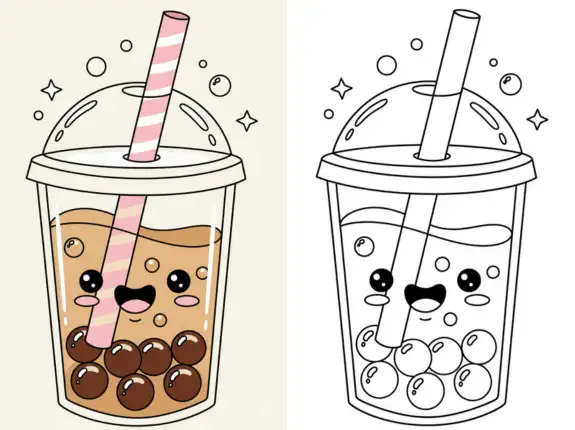
If your kids love coloring cute drinks and characters, then boba-themed pages are perfect for them. Many parents download boba coloring pages from the internet, but when they try to print them, the results sometimes look blurry, dark, stretched, or low quality. This usually happens because the image was downloaded incorrectly, printed with the wrong settings, or saved at a low resolution. Printing high-quality boba coloring pages is not difficult, but you need to follow the right steps to get clean, sharp, and bright outlines that kids enjoy. This detailed guide explains how to print boba coloring pages in high quality at home, in school, or anywhere you have access to a printer.
Whether you’re a parent preparing weekend activities, a teacher making worksheets for your class, or someone who enjoys cute boba art, you will learn everything you need to know from choosing the right files, selecting the best paper, adjusting printer settings, and getting perfect prints every time.
Why High-Quality Printing Matters for Coloring
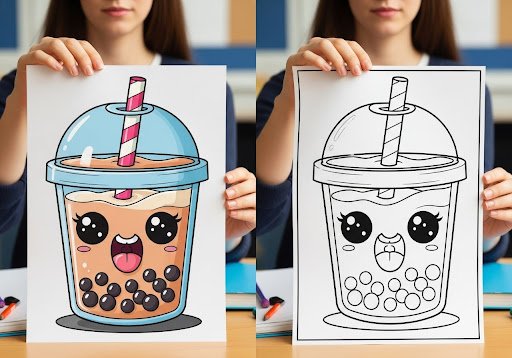
Coloring might look simple, but the print quality affects the whole experience. A clean outline makes coloring easier and more enjoyable.
Clear Lines Help Kids Stay in the Borders
When outlines are sharp, kids can color neatly without getting confused by blurry or broken lines.
Better Prints Encourage Creativity
Kids like seeing a clear image. It makes them excited to color and experiment with different shades.
Good Quality Helps Learning
Coloring is not just fun; it teaches:
focus
hand control
color matching
shape recognition
These skills grow better when the image is clean.
Sharper Images Look More Professional
Teachers and parents often want the page to look nice for schoolwork or home projects.
Understanding Quality Before You Print
Before you even press the “Print” button, the quality of the download matters. Here are the most important things to understand.
1. Resolution
Resolution means how clear the picture is.
High resolution = more details
Low resolution = blurry lines
A good quality coloring page should be at least:
1000 pixels wide
or
800 KB to 2 MB file size (for images)
If the lines look fuzzy, the print will also be fuzzy.
2. File Format
Different file types produce different printing results.
PNG
Very sharp
Bold outlines
Great for coloring pages
Recommended
JPG / JPEG
Still good
Slightly softer edges
Smaller file size
Best for printing
Never loses quality
Perfect for teachers
PDF is always the most reliable format because the print looks the same on any printer.
3. Image Quality on Screen
Before printing, zoom in on the image.
If it stays sharp, it will print well.
If it becomes blocky or pixelated, avoid it.
How to Choose the Best Boba Coloring Pages for Printing
Not all coloring pages are the same. Some are scanned from books. Some are stretched images. Some are poorly drawn. Choosing the right one helps you get better results.
Look for These Features
Bold Outlines
Thicker lines make coloring easier and printing cleaner.
Clean Background
A white background saves ink and makes the page clearer.
Full Image
Make sure the boba cup or character isn’t cut off.
Even Lines
Lines should look smooth, not shaky or broken.
No Watermarks
Watermarks distract kids and make the page look messy.
How to Print Boba Coloring Pages at Home
Printing at home is easy if you follow the right steps. Here is a simple process anyone can follow.
Step 1: Download the Full-Size Image
Do not print directly from the website.
Browsers lower the quality.
Click the image
Open full sizeDownload
Save to a folder
This ensures the page prints clearly.
Step 2: Open the Image or PDF
Use one of these:
Windows Photo Viewer
Mac Preview
Chrome PDF Viewer
Adobe Reader
They show the full quality and give you printing options.
Step 3: Choose the Right Paper
The paper you use affects the print.
Standard Printer Paper
Best for crayons
Affordable
Good for everyday use
Bright White Paper
Sharper prints
Better contrast
Recommended for kids
Cardstock
Perfect for markers
Doesn’t bleed
Strong and lasting
Use cardstock if your child uses markers or paints.
Step 4: Adjust Printer Settings Carefully
Printer settings are the most important part of getting high-quality prints.
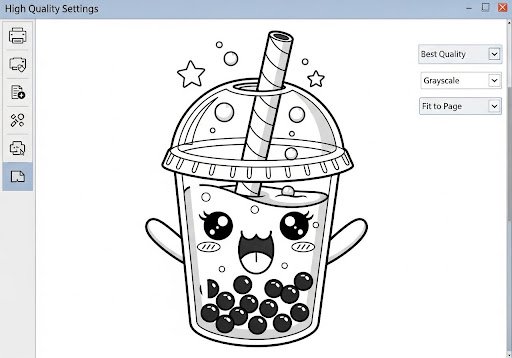
Choose “Best Quality”
Do NOT use “Draft Mode.”
Draft mode prints thin lines that look faded.
Choose “Black and White”
Coloring pages do not need colored ink.
Black and white prints have sharper outlines.
Select “Fit to Page”
This prevents the top or bottom from being cut.
Use “Borderless Printing” (Optional)
This gives a full-page print without white edges.
Step 5: Print a Test Page First
Before printing many pages, print one test.
Check:
sharpness
brightness
size
position
darkness of lines
Adjust settings if anything doesn’t look right.
Advanced Tips for Getting Even Better Prints
If you want your prints to look extra sharp, try these expert tips.
Use PDF Files Whenever Possible
PDF files always print the cleanest lines.
They never stretch or distort.
Perfect if you want professional-looking prints.
Clean Printer Heads
Sometimes printers produce:
broken lines
faded lines
patchy prints
Cleaning the printhead fixes this in minutes.
Use High-Quality Ink
Cheap ink can smudge or fade.
Good ink gives cleaner outlines.
Avoid Enlarging Small Images
If you increase the size of a small picture, it becomes blurry.
Always download the largest version.
Use the Correct Orientation
Portrait for tall boba cups
Landscape for wide scenes
If the page prints sideways, adjust “Orientation.”
How to Print Boba Coloring Pages at School
Teachers often print coloring pages in large amounts. Here are the best practices.
Use a Laser Printer
Laser printers produce sharp lines and print fast.
Organize PDF Packs
Combine multiple boba pages into one PDF.
Preview All Pages Before Printing
This prevents mistakes or wrong page sizes.
Use Bright White Paper
School pages should look clear and clean.
Use Double-Sided Printing (Optional)
One side for coloring
One side for writing
This saves paper.
How to Avoid Common Printing Problems
Even skilled parents face printing issues. Here’s how to fix the most common problems.
1. Blurry Prints
Cause: low-resolution image
Fix: download a bigger file
2. Too Dark or Too Light
Fix: adjust “Grayscale” settings
Use “Best Quality”
3. Cropped Images
Fix: choose “Fit to Page”
4. Faded Lines
Fix: replace ink or clean the printhead
5. Jagged or Rough Edges
Fix: print from PDF instead of JPG
6. Wrong Size
Fix: check paper size matched in settings
How to Store Printed Boba Coloring Pages
After printing, keep everything organized.
Use Folders
Make folders like:
Simple Boba
Kawaii Characters
Holiday Boba
Food-Themed Pages
Keep Completed Pages in a Binder
Kids enjoy flipping through their artwork.
Use Plastic Sheet Protectors
This keeps pages clean and damage-free.
Create a Coloring Book
Staple multiple pages together.
Turn Pages into Craft Projects
Cut, glue, decorate
Make posters
Create flashcards
Why Boba Coloring Pages Look Best When Printed Cleanly
Kids prefer sharp outlines because:
They can see the shapes clearly
They color better
They stay focused longer
The page looks more fun
A clean print increases their excitement and creativity.
How to Build a High-Quality Boba Coloring Library
To build a long-term collection, follow these steps:
download only full-size files
sort them into folders
Use PDFs when possible
delete duplicates
keep backups
Over time, you’ll have hundreds of clean, printable pages.
Conclusion
Printing boba coloring pages in high quality is easy when you follow the right steps. By choosing the right file type, adjusting your printer settings, using clean white paper, downloading full-size images, and avoiding low-quality scans, you can create beautiful prints for your kids. High-quality outlines help children color better, learn more, and enjoy their creative time. And if you ever want even more cute, clean, and creative boba printable designs, you can always explore Sketchy Tones for fresh coloring page options.